JavaScript Array Methods You Must Know
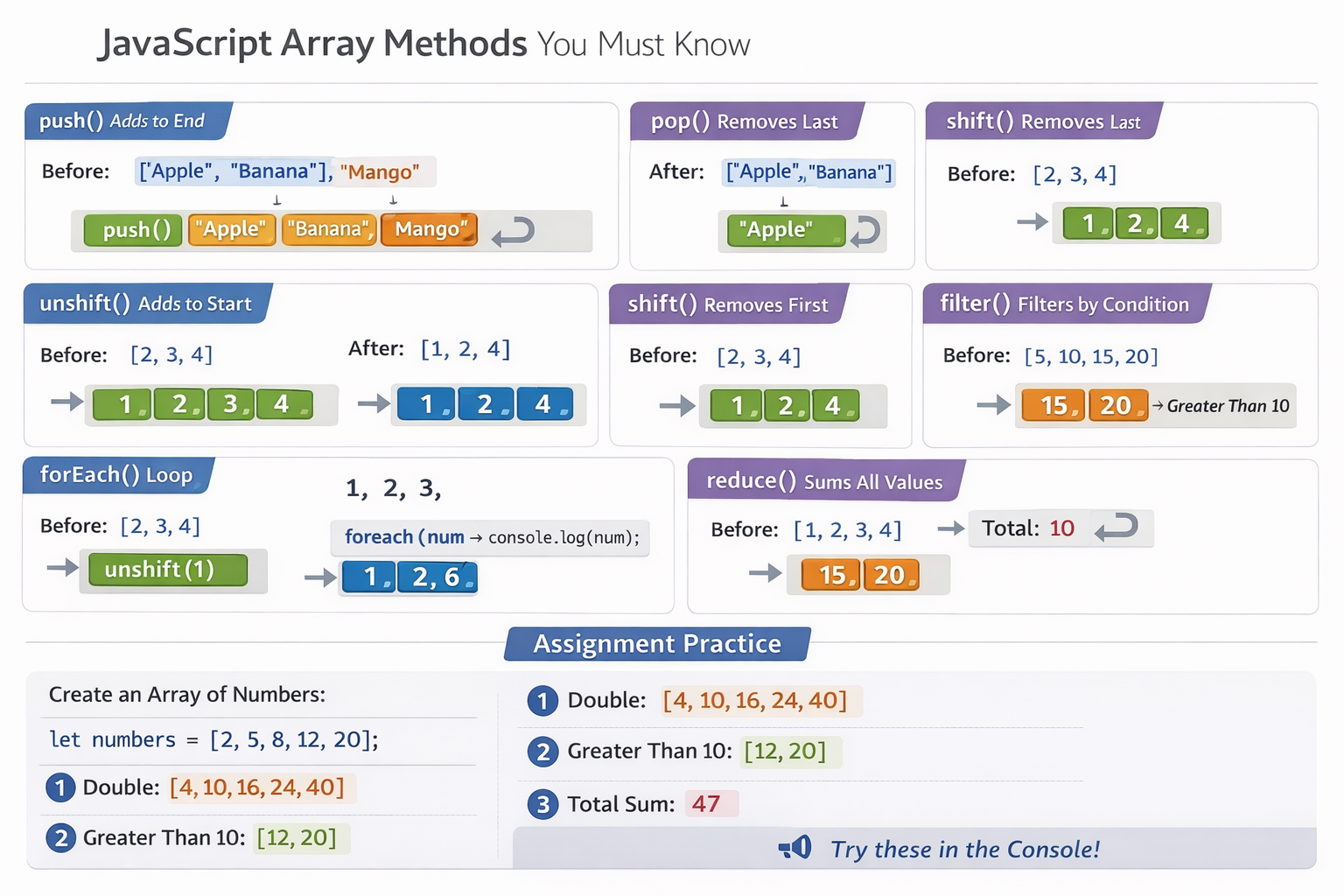
Arrays are one of the most commonly used data structures in JavaScript. To work efficiently with arrays, there are a few important methods every developer should know. Let’s look at them with simple examples and clear explanations.
1. push() and pop()
These methods work on the end of an array.
push() → Adds an element to the end
pop() → Removes the last element
Example
let fruits = ["Apple", "Banana"];

fruits.push("Mango");
console.log(fruits);
Before
["Apple", "Banana"]
After
["Apple", "Banana", "Mango"]
Now remove the last element:
fruits.pop();
console.log(fruits);
After
["Apple", "Banana"]
2. shift() and unshift()
These methods work on the beginning of an array.
unshift() → Adds element at the beginning
shift() → Removes the first element
Example
let numbers = [2, 3, 4];

numbers.unshift(1);
console.log(numbers);
Before
[2, 3, 4]
After
[1, 2, 3, 4]
Remove the first element:
numbers.shift();
console.log(numbers);
After
[2, 3, 4]
3. forEach()
forEach() is used to loop through an array.
let numbers = [1, 2, 3];

numbers.forEach(function(num) {
  console.log(num);
});
Output:
1
2
3
It’s useful when you want to perform an action for each element.
4. map()
map() creates a new array by transforming each element.
Example
let numbers = [1, 2, 3];

let doubled = numbers.map(function(num) {
  return num * 2;
});

console.log(doubled);
Before
[1, 2, 3]
After
[2, 4, 6]
Traditional for loop vs map()
For Loop
let result = [];

for (let i = 0; i < numbers.length; i++) {
  result.push(numbers[i] * 2);
}
Using map
let result = numbers.map(num => num * 2);
map() is shorter and cleaner.
5. filter()
filter() returns elements that match a condition.
Example
let numbers = [5, 10, 15, 20];

let greaterThan10 = numbers.filter(function(num) {
  return num > 10;
});

console.log(greaterThan10);
Before
[5, 10, 15, 20]
After
[15, 20]
Traditional Loop vs filter()
For Loop
let result = [];

for (let i = 0; i < numbers.length; i++) {
  if (numbers[i] > 10) {
    result.push(numbers[i]);
  }
}
Using filter
let result = numbers.filter(num => num > 10);
Much simpler and easier to read.
6. reduce() (Beginner Friendly)
reduce() is used to combine all values into a single value, like a sum.
Example: Calculate Total
let numbers = [1, 2, 3, 4];

let sum = numbers.reduce(function(total, num) {
  return total + num;
}, 0);

console.log(sum);
Result:
10
Think of reduce() as adding each value step by step until one final result remains.
Assignment Practice
Try this in your browser console.
let numbers = [2, 5, 8, 12, 20];
Double Each Number
let doubled = numbers.map(num => num * 2);
Get Numbers Greater Than 10
let greaterThan10 = numbers.filter(num => num > 10);
Calculate Total Sum
let total = numbers.reduce((sum, num) => sum + num, 0);
